Learn the Product
See how Handyman's Friend helps a small service business stay organized without the usual software sprawl.
This is the high-level tour for operators comparing business software. Handyman's Friend brings requests, clients, quotes, jobs, invoices, payments, and your public website into one calm system with a workflow that is easy to understand, easy to trust, and easy to run day to day.
Customer-Facing Website
Launch with a polished public presence from day one.
Your public website is part of the product, not something separate to manage later. That means lead capture, branding, services, and customer-facing actions stay connected to the same workflow you use every day.
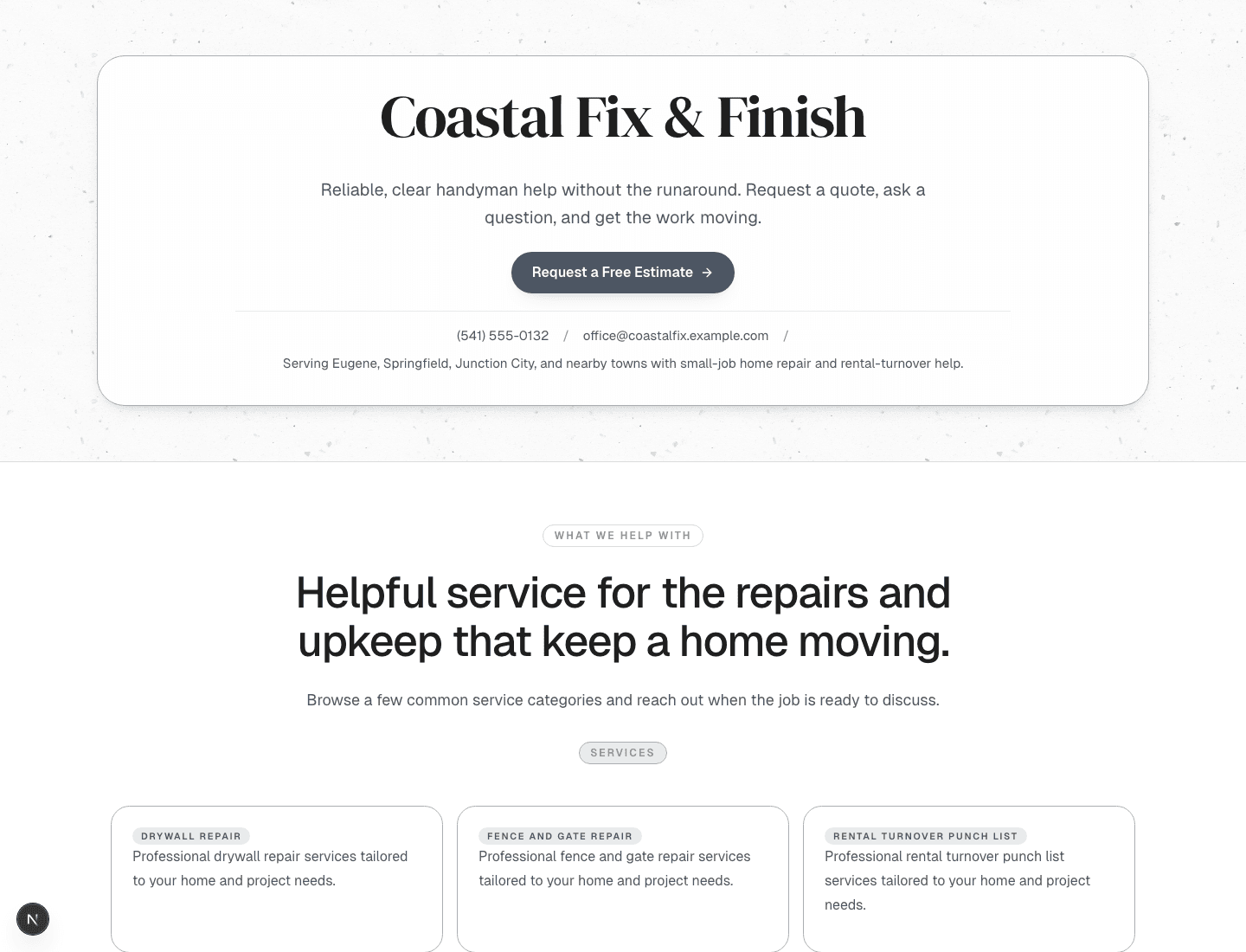
A simple workflow from first request to final payment.
Handyman's Friend is designed to be learned quickly. Most operators use it in the same natural flow from estimate to payment every week, without needing a giant setup project first.
Start with incoming requests, turn them into real client records, and move cleanly into a quote without losing details or momentum.
Build quotes, convert approved work into active jobs, and keep the schedule clear enough to scan between calls.
Invoices, online payments, and customer-facing actions stay connected so the workflow feels like one system instead of five.
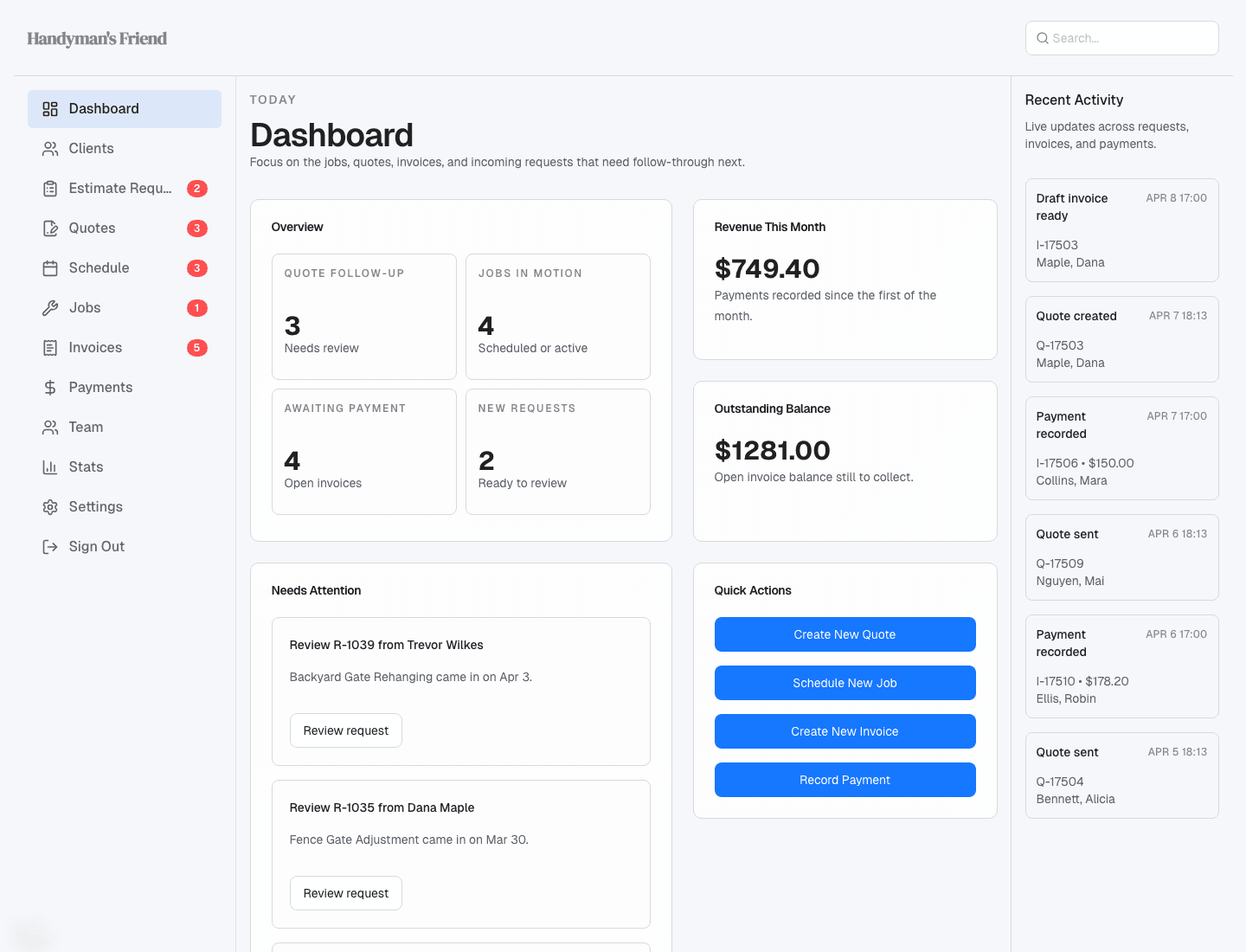
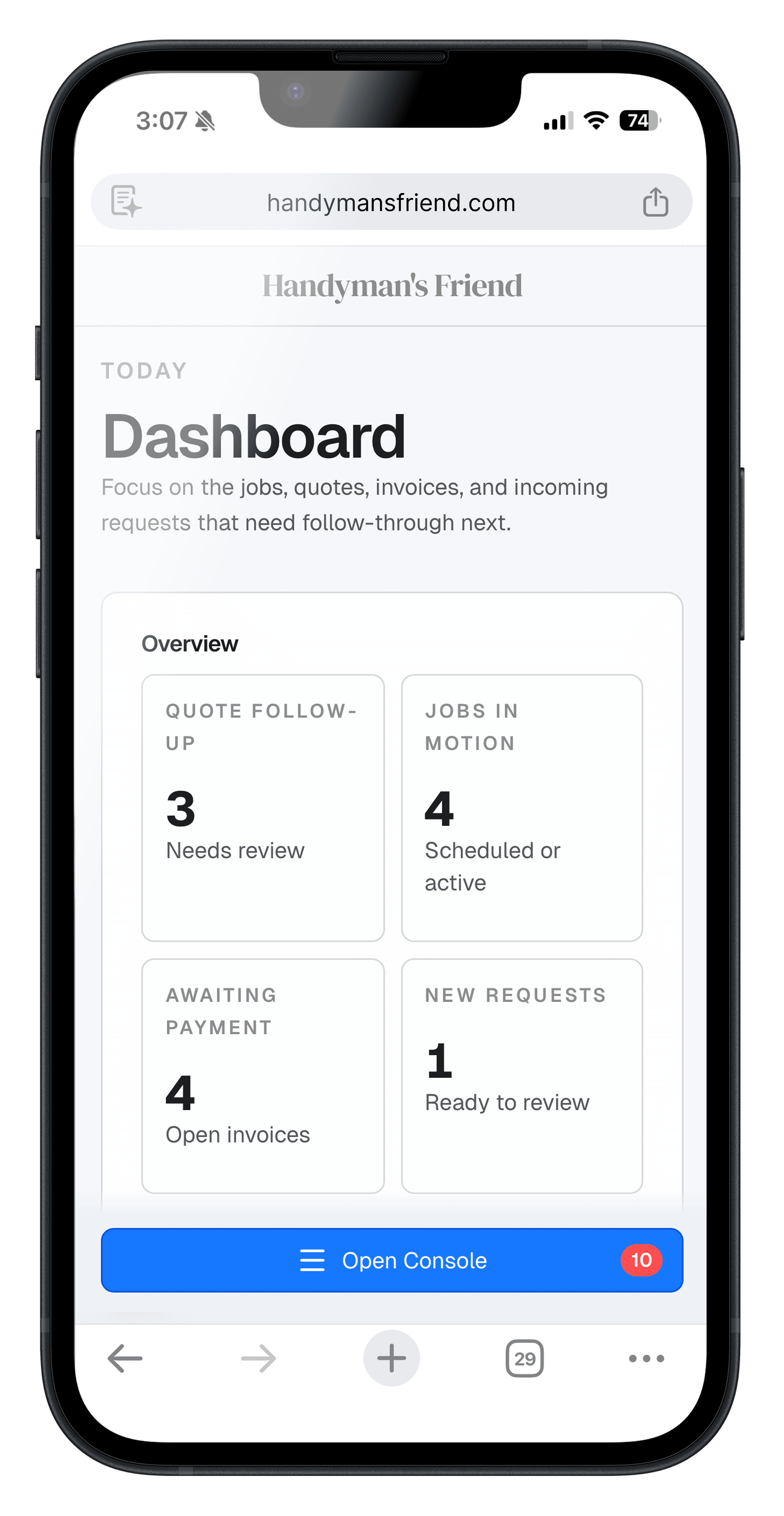
Start the day with one clear dashboard.
The dashboard is built around the real owner-operator questions: what needs follow-up, what is scheduled, what is unpaid, and what changed most recently.
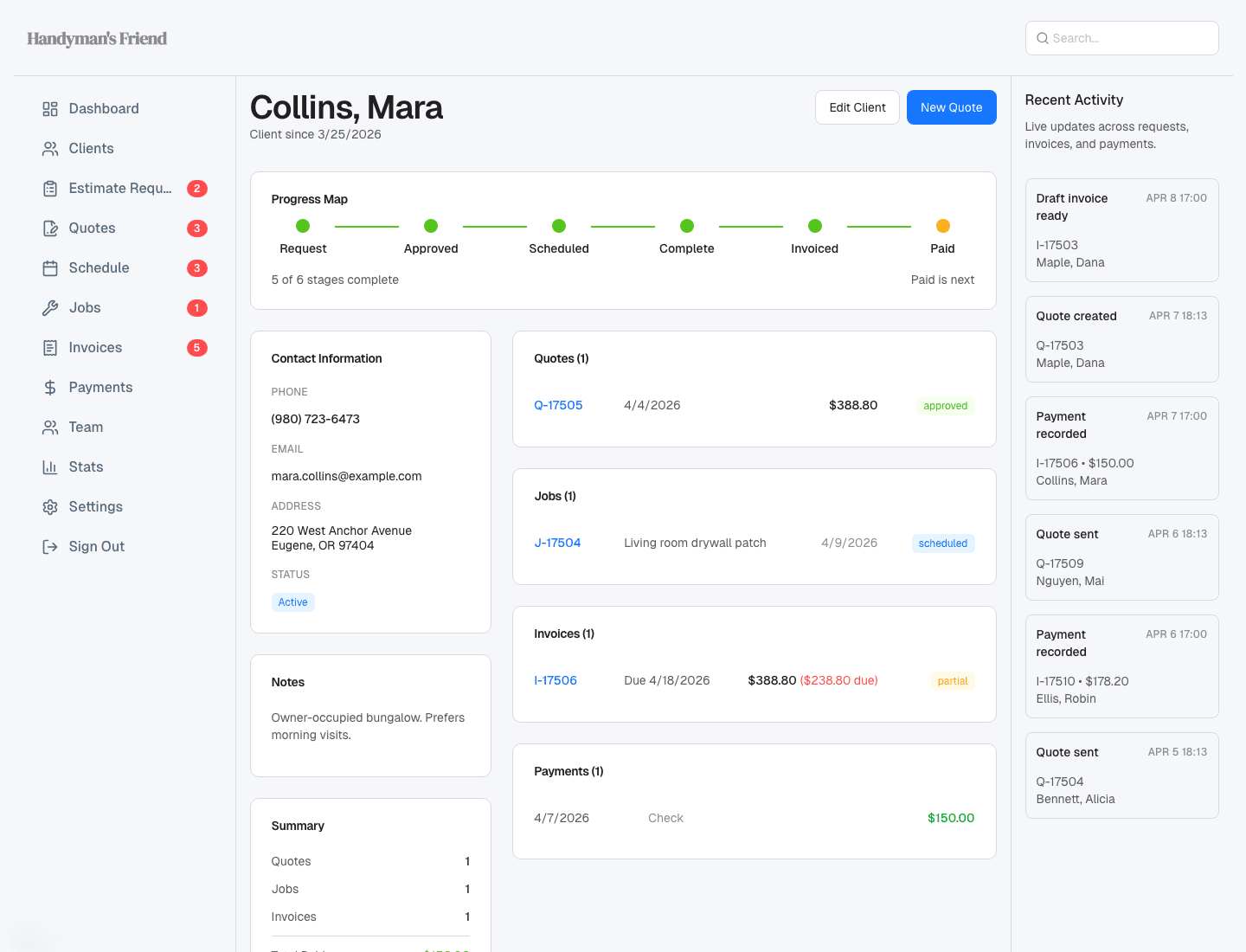
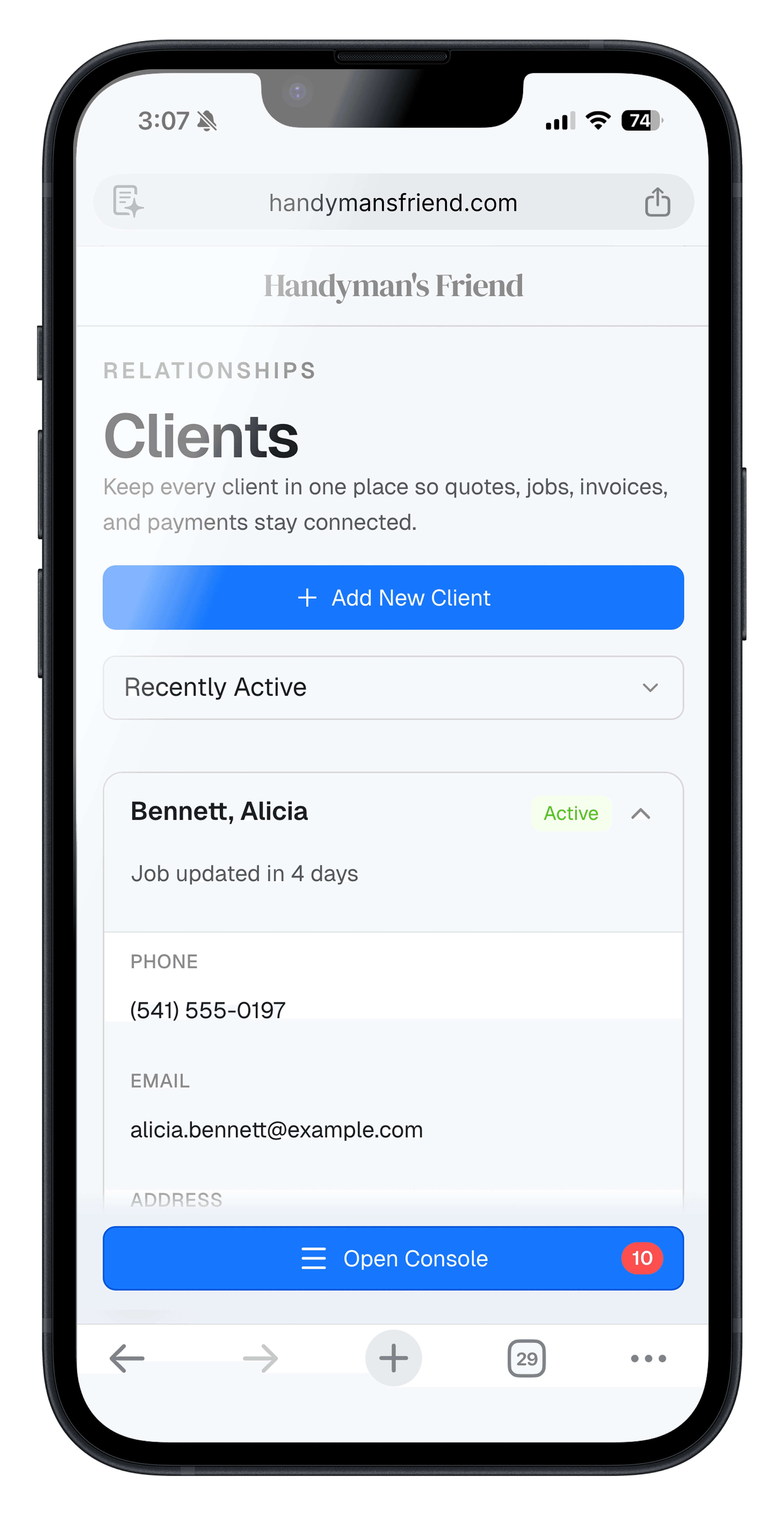
Track each customer without building your own mental CRM.
The clients view keeps the pipeline grounded in real people, and the Progress Map makes the path from estimate to payment easy to follow without piecing it together manually.
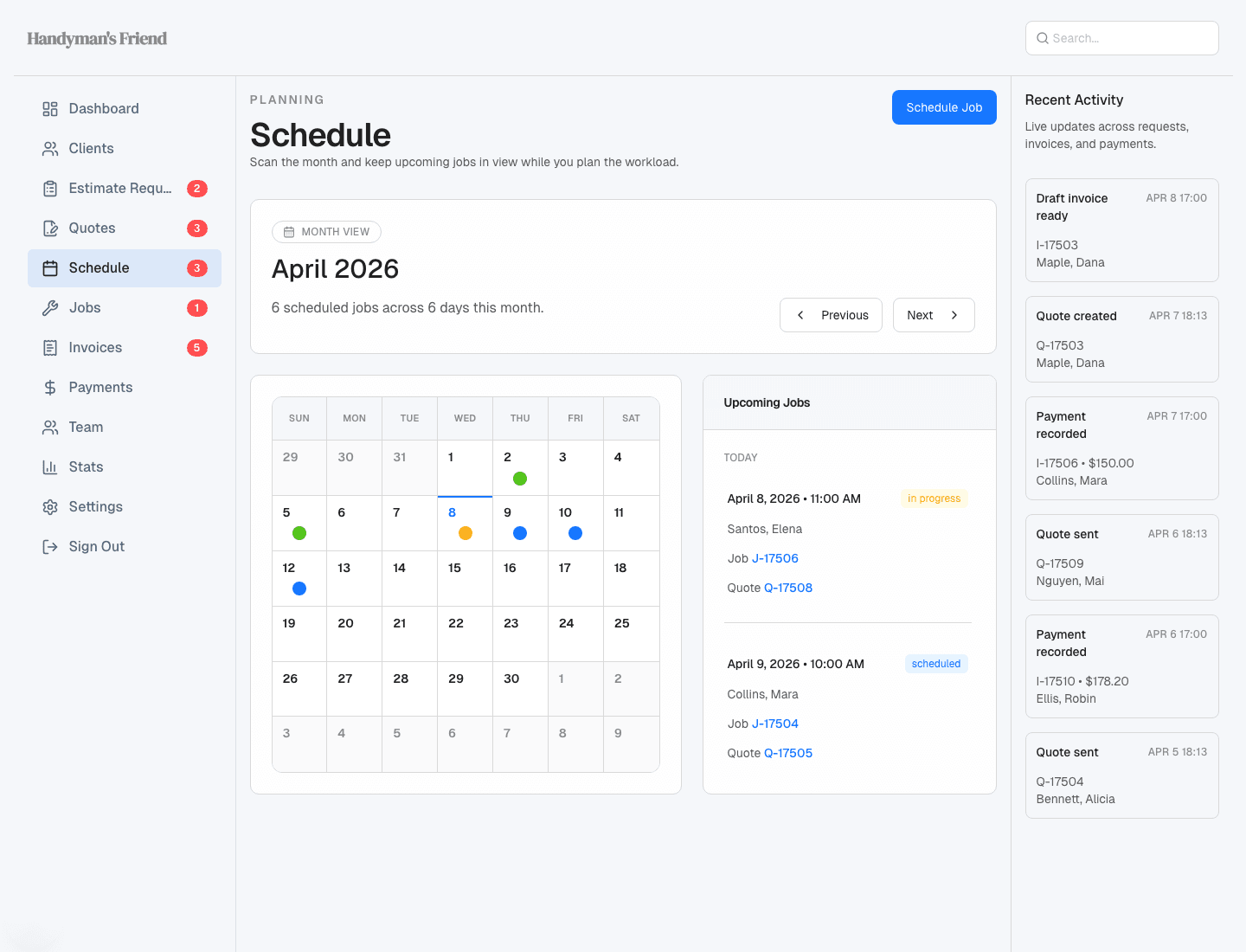
See the month and keep upcoming jobs in view.
The schedule is meant for real scheduling work, not just pretty boxes. Scan the month, see where jobs stack up, and keep the upcoming workload easy to review.
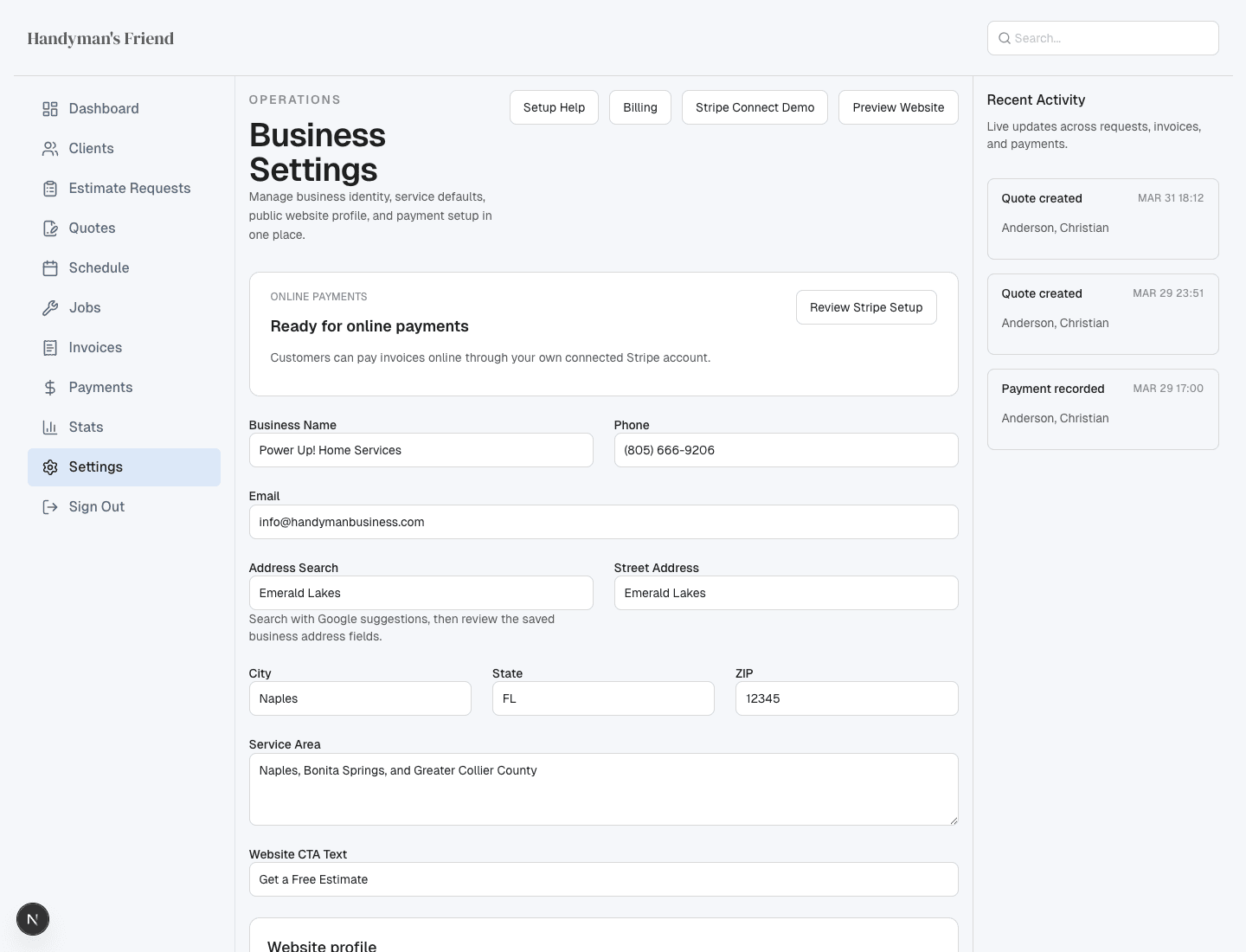
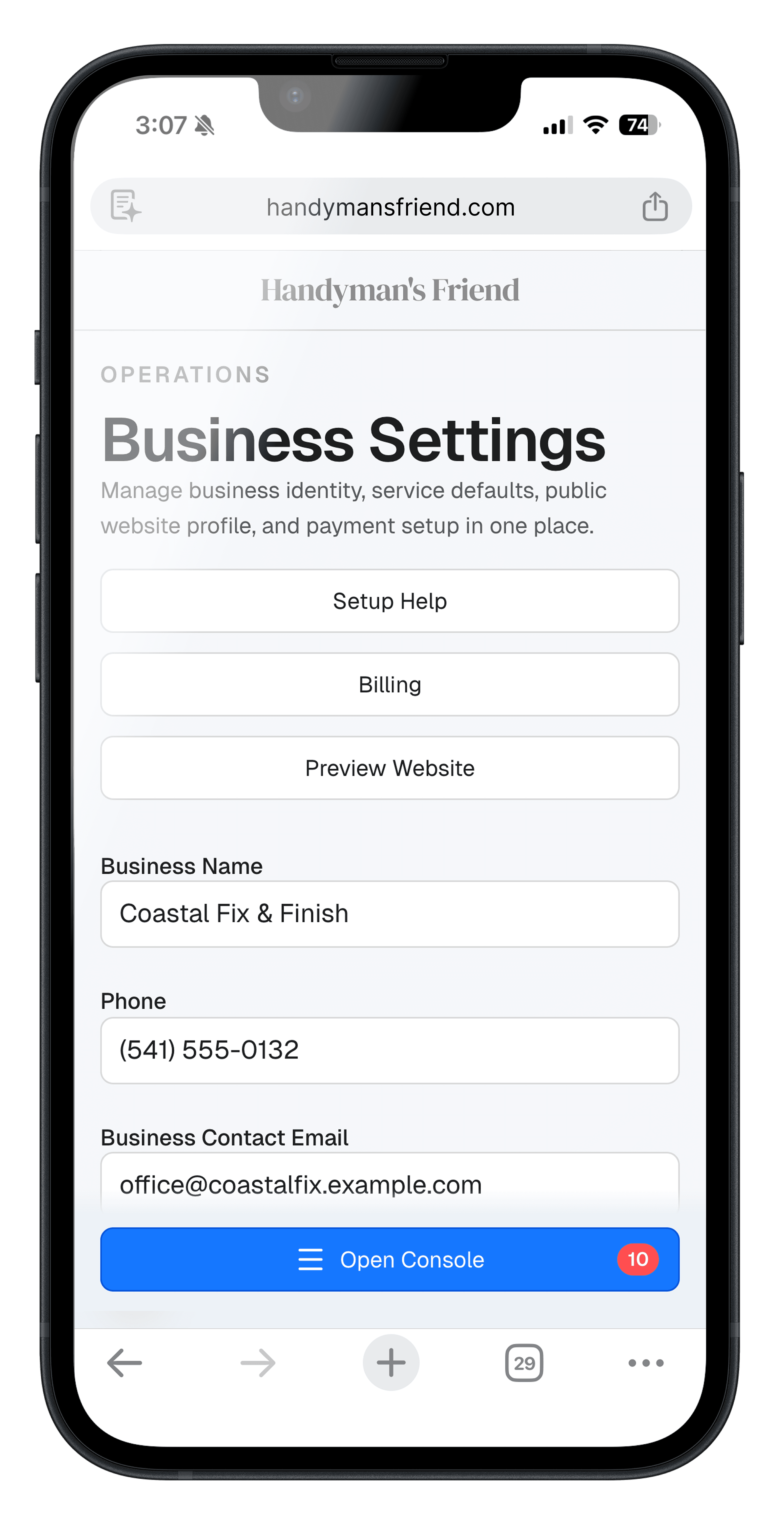
Set the business up once, then let the system carry it forward.
Business details, service area, website copy, tax defaults, and quote or invoice settings live in one place, so the product stays consistent everywhere customers see it.
Use it from the truck, the driveway, or between calls.
The mobile experience is built for real field use. You can check what needs attention, open a client, and keep the business setup current without waiting until you are back at a desk.
Check the day between jobs
See follow-up, open invoices, and the current pulse of the business from your phone.
Pull up client details on site
Open a customer record, confirm contact details, and jump into the active workflow.
Keep the setup and brand current
Business details, website settings, and service information stay editable throughout the day.
The Short Version